Abandonware DOS title
download DOS and Windows abandonware games
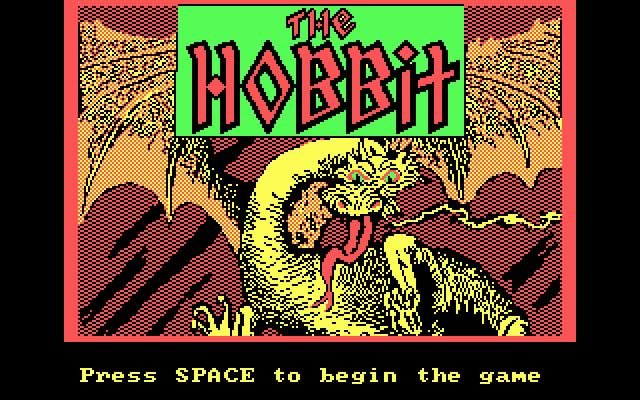
The Hobbit

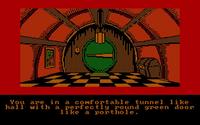
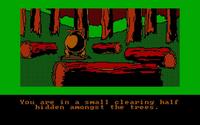
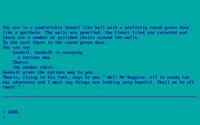
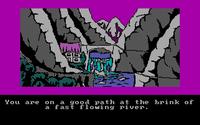
The Hobbit is an early computer adaptation of Tolkien's famous novel, transforming Bilbo Baggins' journey from comfortable hobbit hole to dangerous adventure into an interactive text-based experience. The player explores Middle-earth, interacts with characters, solves puzzles, and tries to survive encounters with creatures that would make most sensible hobbits turn around immediately. The game is notable for its sophisticated use of text and its attempt to give characters independent behavior, making the world feel more alive than many contemporary adventures. Of course, the interface is firmly rooted in the early 1980s, so players must communicate through typed commands rather than simply clicking on whatever looks interesting. That can be charming, although it also means occasionally arguing with the parser about what “obvious” means. For Tolkien fans and interactive-fiction historians, it remains an important and fascinating experiment.
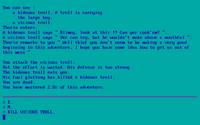
The Hobbit screenshot
thehobbit-splash.jpg - DOS
thehobbit-1.jpg - DOS
thehobbit-2.jpg - DOS
thehobbit-3.jpg - DOS
thehobbit-4.jpg - DOS
thehobbit-5.jpg - DOS
abandonware
what is abandonware?
Rating: 3.98 / 5.00 (118 votes)


Released in:
Developer:
Game modes:
single-player

Share this game:

The Hobbit abandonware downloads

To launch the game, run thehobbit/Hobbit.com.

The .zip contains only two files: hobbit.com and hobbit.dat. The executable file is hobbit.com. If you're having problems, try mounting The Hobbit using D-Fend.

DOS Games made for DOS require an emulator to run on Windows. Use DOSBox or a frontend like D-Fend Reloaded and read this guide to play DOS games on your Windows PC.

More information on The Hobbit

Status: abandonware
Also published for: ZX Spectrum, Commodore 64, Amstrad CPC, BBC Micro, Oric, MSX
Abandonware DOS views: 30440
Awards won by The Hobbit:

Comments

  • AbandonwareDOS 31/08/2019 17:29
    Hi Ralle! You can run it easily with a DOS emulator like DOSBOX.
  • Ralle 31/08/2019 15:29
    Hi! Tried this today on my old PC-XT from 1988, DOS 5.0, Adlib Card, VGA, Mouse. Copied the files on a real 360kb disc and tried to start it. It simply hangs. A COM-File that is only 584 Bytes long looked strange. Today I learned something new - after all that time : "PC Booter". Thied to put it on a system disk with a very small DOS (3.21). No way. Has anyone a disk image?
  • AndyDunn 11/07/2016 21:17
    The reason is that it doesn't work with FreeDOS. It's fine with MSDOS.
  • AndyDunn 11/07/2016 18:57
    If I type SAVE, I get the prompt ENTER DISK POSITION [ 1-20 ]: After entering a number in the suggested range, nothing happens (just a flashing cursor). The game freezes and I have to reboot the computer. Anyone know what's going on here? The game isn't really playable unless you can save.
  • AbandonwareDOS 27/12/2014 10:29
    Hi Bob, the screenshots you see on this page were taken using the game in the zip you downloaded. You should see two files, one named hobbit.com, the other hobbit.dat. There is NO exe, and that's normal for a game so old: the .com is the executable. I played The Hobbit using D-Fend, it saves a lot of DOSBOX tweaking. Try it, you should be able to run it without problems.
  • BOB 26/12/2014 20:02
    no way to mount game - if, you are probably using DOS BOX & have mounted the HOBBIT folder - there is NO .exe to start game - the files within folder are both titled HOBBIT but, when you enter HOBBIT, it says illegal command -- no way to start game as the .exe is missing
Write a comment
Have you ever played The Hobbit? Did you like it? Did you hate it? Write something about it: share your experience, give us hints on how to properly run this game or simply say how much you loved it.

You may also like...

These are some of the abandoned games similar to The Hobbit in some way.
time-and-magik-03.jpg Time and Magik: The Trilogy gnome-ranger-2-02.jpg Gnome Ranger 2: Ingrid's Back gateway2_home_000.jpg Gateway 2: Homeworld magnetic-scrolls-collection-02.jpg Magnetic Scrolls Collection